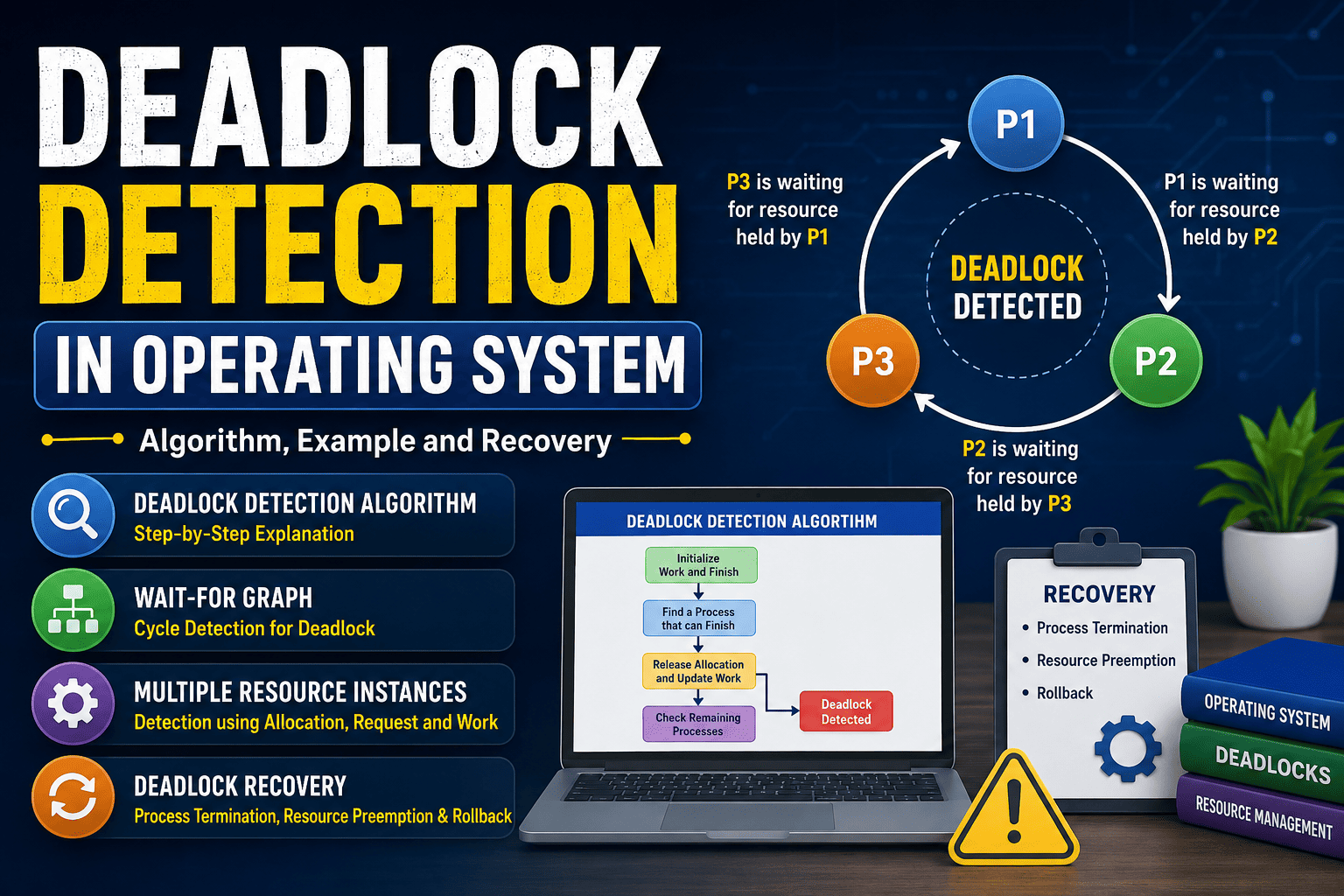
Deadlock is one of the most important topics in Operating System because it explains what happens when processes are unable to continue because they are waiting for resources held by one another. In a large system, several processes may need the same resources at the same time, and poor resource management can leave some processes permanently blocked. This is where Deadlock Detection in Operating System becomes important.
Unlike deadlock prevention or avoidance, deadlock detection does not necessarily try to stop a deadlock before it happens. Instead, the system allows resource allocation to continue and periodically checks whether a deadlock has occurred. If a deadlock is detected, the operating system can use a recovery method to release resources and allow other processes to continue.
In this guide, we will understand what deadlock detection means, how the detection algorithm works, how a wait-for graph is used, how detection works when multiple instances of resources exist, and what happens after a deadlock is detected.
What Is Deadlock in Operating System?
A deadlock occurs when two or more processes are permanently waiting for resources that are held by each other. Since every process is waiting for another process to release a resource, none of them can move forward.
For example, suppose Process P1 has Resource R1 and is waiting for R2. At the same time, Process P2 has Resource R2 and is waiting for R1. P1 cannot continue until P2 releases R2, while P2 cannot continue until P1 releases R1. Neither process can proceed, creating a deadlock.
A useful way to understand the concept is through the resource allocation model. Processes request resources, use them for some time, and finally release them. Problems occur when several processes hold resources while waiting for additional resources.
What Is Deadlock Detection?
Deadlock detection is a technique in which the operating system checks the current resource allocation state to determine whether a group of processes is deadlocked.
The main idea is simple: instead of preventing every possible deadlock, the system examines the current state and tries to identify processes that cannot complete because of resource dependencies.
Deadlock detection is different from deadlock avoidance. In avoidance, the operating system checks whether granting a resource request could lead to an unsafe state. In detection, the system checks whether a deadlock has already occurred and then takes action to recover from it.
University Operating System courses commonly describe two main cases: one where each resource type has a single instance, and another where resource types can have multiple instances.
Deadlock Detection for Single Instance Resources
When there is only one instance of each resource type, a Wait-For Graph can be used to detect deadlock.
In a wait-for graph, only processes are represented as nodes. If Process P1 is waiting for a resource currently held by Process P2, an edge is created from P1 to P2.
For example:
P1 → P2
This means P1 is waiting for a resource held by P2.
Now imagine the following relationships:
P1 → P2 → P3 → P1
There is a cycle in the graph. In a single-instance resource system, this cycle indicates a deadlock because every process in the cycle is waiting for another process in the same cycle.
University of Illinois Chicago’s Operating Systems notes also explain that a cycle in the wait-for graph indicates deadlock when each resource type has a single instance. The graph can be checked periodically to identify such cycles.
How Wait-For Graph Detects Deadlock
The process is easier to understand with a simple example. Suppose there are three processes: P1, P2 and P3.
P1 is waiting for a resource held by P2.
P2 is waiting for a resource held by P3.
P3 is waiting for a resource held by P1.
The resulting graph is:
P1 → P2 → P3 → P1
Because the graph contains a cycle, the three processes are involved in a deadlock.
If there is no cycle, then the system is not deadlocked under the single-instance model.
Deadlock Detection for Multiple Resource Instances
The situation becomes more complicated when a resource type has multiple instances. In this case, simply finding a cycle in a graph is not always enough to determine whether the system is deadlocked.
For multiple resource instances, the operating system can use a detection algorithm based on information such as Available, Allocation and Request.
The important difference is that the algorithm checks whether processes can potentially finish with the resources currently available. When a process can finish, its allocated resources are assumed to be released and added back to the available resources.
Deadlock Detection Algorithm
The basic algorithm can be understood using the following steps.
Step 1: Initialize Work and Finish
Set:
Work = Available
For each process, check its current Allocation.
If a process has no allocated resources, its Finish value can be treated as true. Otherwise, Finish is initially false.
Step 2: Find a Process That Can Finish
Search for a process whose Finish value is false and whose current Request is less than or equal to Work.
The condition is:
Request[i] ≤ Work
This comparison must be satisfied for every resource type.
If the condition is satisfied, we can assume that the process will receive the required resources and complete its execution.
Step 3: Release Its Allocated Resources
After assuming that the process has completed, add its allocated resources back to Work.
The formula is:
Work = Work + Allocation[i]
Then set:
Finish[i] = True
Continue checking the remaining processes.
Step 4: Check the Remaining Processes
Repeat the same process until no more processes can be selected.
If every process becomes finished, the system is not currently deadlocked.
If one or more processes remain with Finish set to false, those processes are considered deadlocked under the detection algorithm.
Deadlock Detection Example
Suppose a system has three processes P0, P1 and P2 and two resource types A and B.
Assume the currently available resources are:
Available = (1, 1)
The current Allocation and Request values are:
| Process | Allocation A | Allocation B | Request A | Request B |
|---|---|---|---|---|
| P0 | 1 | 0 | 0 | 1 |
| P1 | 0 | 1 | 1 | 0 |
| P2 | 1 | 0 | 1 | 1 |
Initially:
Work = (1, 1)
Now check P0. Its Request is (0,1), which is less than or equal to Work (1,1). Therefore, P0 can finish.
After P0 finishes, its Allocation (1,0) is returned to the available resources.
New Work = (1,1) + (1,0) = (2,1)
Now check P1. Its Request is (1,0), which can also be satisfied by Work (2,1). P1 finishes and releases its Allocation (0,1).
New Work = (2,1) + (0,1) = (2,2)
Finally, P2 requires (1,1), which can be satisfied by Work (2,2). P2 also finishes.
Since all processes can finish, this state does not contain a deadlock.
What Happens When Deadlock Is Detected?
Detecting a deadlock is only half of the problem. The operating system must also recover from it. Recovery means breaking the circular dependency so that resources become available again.
One common method is process termination. The operating system may terminate one or more processes involved in the deadlock. When a process is terminated, the resources held by that process can be released.
Another method is resource preemption. In some situations, the operating system may take a resource away from one process and give it to another process. This is not possible for every type of resource, so the method depends on the system.
Rollback can also be used in some systems. A process may be returned to an earlier safe state and restarted later after the deadlock has been resolved.
Deadlock Detection vs Deadlock Avoidance
These two concepts are often confused by students, but they are not the same.
| Deadlock Detection | Deadlock Avoidance |
|---|---|
| Checks whether deadlock has occurred | Checks whether an allocation may lead to an unsafe state |
| Recovery is required after detection | Attempts to keep the system in a safe state |
| Uses current allocation and request information | Requires information about possible future resource requirements |
| Can identify processes involved in deadlock | Primarily decides whether a resource request should be granted |
If you want to understand resource allocation and safe states in more detail, you can read our guide on How to Find Safe Sequence in Resource Allocation Problem. You can also study our detailed Banker’s Algorithm Solved Examples for a better understanding of resource management concepts.
How Often Should Deadlock Detection Run?
There is no single rule that works for every system. Running the detection algorithm very frequently can increase processing overhead. On the other hand, checking too rarely can allow a deadlock to affect more processes and hold resources for a longer period.
The appropriate frequency depends on how likely deadlocks are to occur and how serious their consequences are. Some systems may check when resource requests remain blocked, while others may perform detection periodically.
This trade-off is important because deadlock detection itself consumes computing resources. The goal is to detect serious resource problems without wasting too much processing time on repeated checks.
Common Mistakes Students Make
One common mistake is confusing deadlock detection with the safe-state test used for resource allocation. The two algorithms look similar, but they use different information and answer different questions.
Another mistake is assuming that every cycle automatically means deadlock. A cycle is sufficient for deadlock in a single-instance resource model, but multiple resource instances require a more careful analysis.
Students also frequently forget to add a completed process’s Allocation back to Work. Without this step, the remaining processes may appear unable to finish even when the system can actually recover.
Finally, do not assume that an unsafe state and an actual deadlock are exactly the same thing. An unsafe state means the system cannot guarantee a safe completion order, while deadlock means processes are actually stuck in a resource-waiting situation.
Why Deadlock Detection Is Important in Operating System
Modern computer systems often run many processes and threads at the same time. These processes may compete for files, memory, locks, devices and other limited resources. If resource dependencies are not managed correctly, the system can become unresponsive.
Deadlock detection gives the operating system a way to identify such situations and take corrective action. It is especially important as a theoretical concept because it helps students understand resource allocation, process synchronization, graphs and system recovery.
For broader Operating System preparation, you can also refer to our GATE CSE Operating System Notes, which covers major OS topics including processes, scheduling, synchronization, deadlocks and memory management.
Frequently Asked Questions
What is Deadlock Detection in Operating System?
Deadlock Detection in Operating System is a technique used to determine whether processes are stuck waiting for resources held by one another. If deadlock is found, a recovery method can be applied.
What is a Wait-For Graph?
A wait-for graph is a graph containing processes as nodes. An edge from P1 to P2 means P1 is waiting for a resource currently held by P2. In a single-instance resource system, a cycle in this graph indicates deadlock.
What is the main purpose of deadlock detection?
The main purpose is to identify processes involved in a deadlock so that the system can take recovery actions such as process termination, resource preemption or rollback.
Is deadlock detection the same as deadlock prevention?
No. Prevention attempts to stop the necessary conditions for deadlock from occurring, while detection allows the possibility of deadlock and checks whether it has actually occurred.
What happens after deadlock detection?
After a deadlock is detected, the operating system needs to recover by releasing resources. It may terminate selected processes, preempt resources, or use rollback depending on the system.
Conclusion
Deadlock Detection in Operating System is an important concept for understanding how an operating system identifies processes that are permanently waiting for resources. For systems with a single instance of each resource type, a wait-for graph can be used to look for cycles. When multiple resource instances exist, a detection algorithm using Work, Finish, Allocation and Request can be applied.
The most important point to remember is that detection and recovery are connected. Finding a deadlock does not automatically solve the problem. The system must also release resources or terminate processes so that normal execution can continue.
For students preparing for university exams, placement tests and GATE CSE, understanding the detection algorithm step by step is much more useful than simply memorizing its definition. Once the relationship between Request, Allocation, Work and Finish becomes clear, even numerical deadlock questions become easier to solve.
Outbound Reference: For additional academic reading on deadlock detection and recovery, see the University of Illinois Chicago Operating Systems Deadlocks Notes.