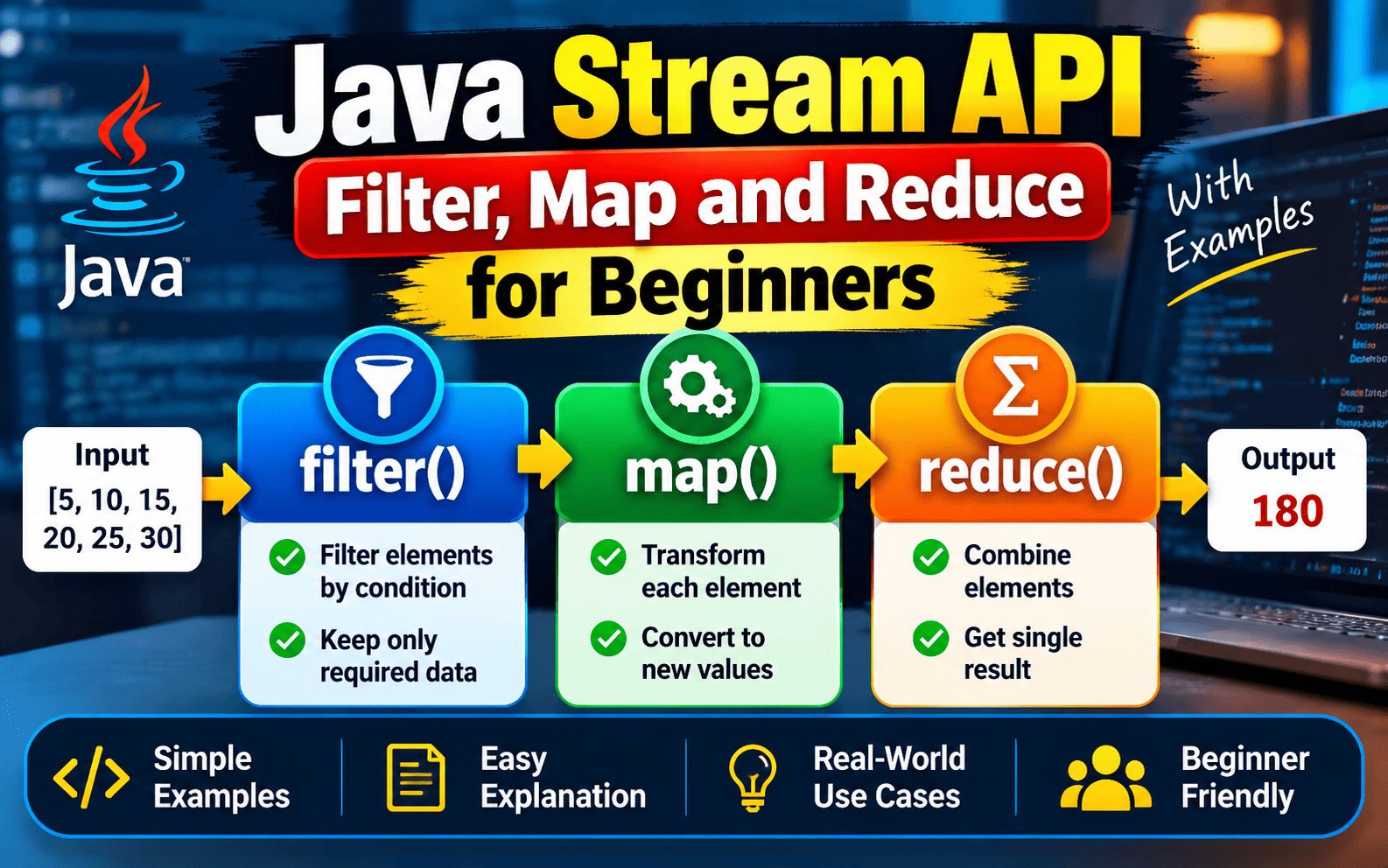
Java Stream API is one of the most useful features introduced in Java 8 for processing collections of data in a clean and readable way. Instead of writing long loops and repeatedly creating temporary variables, developers can use stream operations such as filter(), map(), and reduce() to process data through a simple pipeline.
If you are a beginner learning Java, understanding these three operations is extremely important because they appear frequently in modern Java applications, coding interviews, and real-world programming. In this guide, we will learn Java Stream API filter map reduce examples step by step with simple Java programs.
What Is Java Stream API?
Java Stream API provides a way to process a sequence of elements using functional-style operations. A stream does not store data itself. Instead, it processes data obtained from a source such as a List, Set, or array.
For example, suppose we have a list of numbers and want to find only the even numbers. Traditionally, we might use a for loop. With the Stream API, we can create a stream and use filter() to select the required values.
A typical Stream API pipeline can contain several operations such as filtering data, transforming values, sorting elements, and finally producing a result.
Why Use Java Stream API?
The main advantage of Java Streams is that they can make collection-processing code shorter and easier to understand. Instead of describing every loop step manually, you describe what should happen to the data.
Java Streams are particularly useful when you need to perform operations such as filtering records, converting objects into another form, calculating totals, finding maximum or minimum values, or collecting processed results.
However, Streams are not automatically better for every situation. A simple loop can sometimes be easier to read or more appropriate for complicated control flow. The goal is to use streams where they make the data-processing logic clearer.
Java Stream filter() Method
The filter() method is used when you want to select only the elements that satisfy a particular condition. It accepts a predicate, which returns either true or false for each element.
According to the Java API documentation, filter() is an intermediate operation that returns another stream containing elements that match the specified predicate.
Example of filter() in Java
import java.util.Arrays;
import java.util.List;

public class FilterExample {
    public static void main(String[] args) {

        List<Integer> numbers =
                Arrays.asList(10, 15, 20, 25, 30);

        numbers.stream()
               .filter(n -> n > 20)
               .forEach(System.out::println);
    }
}
The output will be:
25
30
Here, the stream checks every number. The filter() condition keeps only numbers greater than 20. The resulting stream is then processed by forEach().
Java Stream map() Method
The map() method is used to transform each element of a stream into another value. Unlike filter(), which decides whether an element should remain, map() changes the value or representation of each element.
For example, you can use map() to multiply numbers, convert strings to uppercase, extract employee names from employee objects, or transform one object type into another.
Example of map() in Java
import java.util.Arrays;
import java.util.List;
import java.util.stream.Collectors;

public class MapExample {
    public static void main(String[] args) {

        List<Integer> numbers =
                Arrays.asList(1, 2, 3, 4, 5);

        List<Integer> squares = numbers.stream()
                .map(n -> n * n)
                .collect(Collectors.toList());

        System.out.println(squares);
    }
}
The output will be:
[1, 4, 9, 16, 25]In this example, map() receives every number and transforms it into its square. The result is then collected into a new List.
Java Stream reduce() Method
The reduce() method is used when multiple stream elements need to be combined into a single result. This process is called reduction.
Common examples include calculating the sum of numbers, multiplying values, finding a combined result, or performing another associative calculation.
Simple reduce() Example in Java
import java.util.Arrays;
import java.util.List;

public class ReduceExample {
    public static void main(String[] args) {

        List<Integer> numbers =
                Arrays.asList(10, 20, 30, 40);

        int sum = numbers.stream()
                .reduce(0, (a, b) -> a + b);

        System.out.println(sum);
    }
}
The output will be:
100The value 0 is the identity value. The accumulator (a, b) -> a + b combines the current result with the next element. Java’s documentation describes reduce() as a general-purpose reduction operation and explains the role of the identity and accumulator.
Java Stream filter(), map() and reduce() Together
The real power of the Stream API becomes clearer when multiple operations are combined into one pipeline. You can first filter the required elements, then transform them using map(), and finally combine them using reduce().
Complete Filter Map Reduce Example
import java.util.Arrays;
import java.util.List;

public class StreamExample {
    public static void main(String[] args) {

        List<Integer> numbers =
                Arrays.asList(5, 10, 15, 20, 25, 30);

        int result = numbers.stream()
                .filter(n -> n > 10)
                .map(n -> n * 2)
                .reduce(0, (a, b) -> a + b);

        System.out.println(result);
    }
}
Let’s understand the pipeline step by step.
Step 1 – filter(): Values greater than 10 are selected. The remaining values are 15, 20, 25, and 30.
Step 2 – map(): Every selected value is multiplied by 2. The values become 30, 40, 50, and 60.
Step 3 – reduce(): All transformed values are added together.
The final result is:
180This is the basic idea behind a Stream API pipeline: select data, transform data, and produce a final result.
Difference Between filter(), map() and reduce()
| Method | Purpose | Result |
|---|---|---|
| filter() | Selects elements based on a condition | Stream |
| map() | Transforms each element | Stream |
| reduce() | Combines elements into one result | Single result |
Another Practical Example with Strings
Streams are not limited to numbers. You can also process strings using filter(), map(), and other stream operations.
import java.util.Arrays;
import java.util.List;
import java.util.stream.Collectors;

public class StringStreamExample {
    public static void main(String[] args) {

        List<String> names =
                Arrays.asList("Rahul", "Amit", "Raj", "Ankit");

        List<String> result = names.stream()
                .filter(name -> name.length() > 4)
                .map(String::toUpperCase)
                .collect(Collectors.toList());

        System.out.println(result);
    }
}
Here, filter() selects names having more than four characters, while map() converts the selected names to uppercase.
Stream API Intermediate and Terminal Operations
Understanding intermediate and terminal operations is important for beginners. Operations such as filter() and map() are intermediate operations because they return another stream. They can therefore be chained together.
Operations such as reduce(), collect(), count(), and forEach() are terminal operations because they produce a final result or complete the stream processing.
A stream pipeline generally does not perform the processing until a terminal operation is reached. This is one reason stream pipelines can be written in a compact and declarative style.
Common Mistakes Beginners Make with Java Streams
One common mistake is trying to use reduce() when a specialized operation such as sum(), count(), min(), or max() is clearer. Java provides specialized reduction operations for common tasks.
Another mistake is writing extremely long stream chains just to avoid using a loop. Streams should improve clarity, not make simple code unnecessarily complicated.
Beginners should also remember that a Stream is not a replacement for a Collection. A List stores elements, while a Stream provides a way to process those elements.
When Should You Use Java Streams?
Java Streams are useful when your task involves processing collections through a sequence of transformations or conditions. Examples include filtering products by price, converting employee objects into names, calculating totals, processing database results, and analyzing numerical data.
For simple iteration with complex control flow, a traditional loop may still be easier to understand. Good Java programming is not about using Streams everywhere; it is about choosing the clearest approach for the problem.
Java Stream API and Performance
For most beginner applications, readability should be the first consideration rather than trying to optimize every stream pipeline. Streams can also support parallel processing, but using parallel streams does not automatically make a program faster.
For parallel reduction, the reduction functions must satisfy the required characteristics such as associativity and compatibility with the combining operation. Therefore, beginners should understand sequential streams first before experimenting with parallel streams.
Learn More About Java Programming
If you are learning Java and want more tutorials on programming concepts, exception handling, object-oriented programming, collections, and interview preparation, explore more resources on TechInsyders.
For the complete technical definition and method details, refer to the official Java Stream API documentation.
Conclusion
Java Stream API makes collection processing more expressive by allowing developers to build pipelines of operations. The three important operations covered in this guide are filter(), map(), and reduce().
Use filter() when you need to select elements, map() when you need to transform elements, and reduce() when you need to combine multiple elements into a final result. Once you understand how these operations work individually, combining them into a complete Stream pipeline becomes much easier.
Practice these examples with numbers, strings, and custom Java objects. With regular practice, Java Streams can become an important part of your Java programming and interview preparation skills.