If you’re learning Java, the if-else statement is one of the first tools you’ll use to make decisions in your programs. Without it, your code would run the same way every time—no choices, no conditions, no “do this if something is true.”
In this guide, you’ll learn what Java if-else statements are, when to use them, and several easy examples you can practice right away.
What is an if-else statement in Java?
An if-else statement lets your program check a condition and choose between different blocks of code.
-
If the condition is true, Java runs the “if” block
-
Otherwise, Java runs the “else” block (if it exists)
The condition must evaluate to a boolean value: true or false.
Basic syntax
if (condition) {

    // code runs when condition is true

} else {

    // code runs when condition is false

}
Example 1: Check if a number is positive or negative
This is a classic beginner example and helps you understand simple comparisons.
int number = -7;
if (number >= 0) {

    System.out.println("Number is positive or zero");

} else {

    System.out.println("Number is negative");

}
What’s happening:
-
The condition number>=0 is checked
-
If true, the first message prints
-
If false, the else message prints
Example 2: Check if a person can vote
This one feels practical and uses a real-life rule.
int age = 16;
if (age >= 18) {

    System.out.println("You can vote");

} else {

    System.out.println("You cannot vote yet");

}
Tip: Beginners often confuse assignment = with comparison ==. In conditions, use == for equality checks.
Example 3: Odd or even number
To detect odd/even, we use the modulus operator %, which gives the remainder.
int n = 25;
if (n % 2 == 0) {

    System.out.println("Even number");

} else {

    System.out.println("Odd number");

}
-
If n%2 equals 0, the number is even
-
Otherwise it’s odd
Example 4: if-else-if ladder (multiple conditions)
Sometimes you need more than two outcomes. That’s where else-if comes in.
int marks = 72;
if (marks >= 90) {

    System.out.println("Grade: A");

} else if (marks >= 75) {

    System.out.println("Grade: B");

} else if (marks >= 60) {

    System.out.println("Grade: C");

} else {

    System.out.println("Grade: D");

}
How Java evaluates this:
-
It checks conditions top to bottom
-
The first condition that becomes true runs
-
Then Java skips the rest
This is why ordering matters. Put stricter/higher thresholds first.
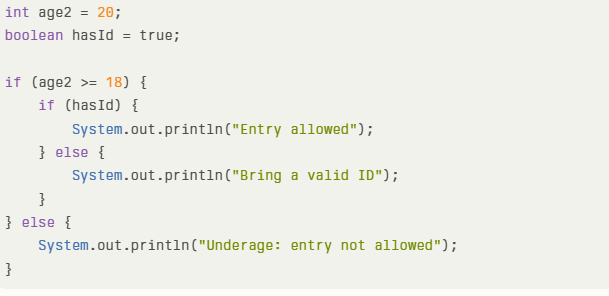
Example 5: Nested if-else (condition inside another condition)
Nested if means one decision depends on another. Use it when you truly need a “decision within a decision.”
int age2 = 20;

boolean hasId = true;
if (age2 >= 18) {

    if (hasId) {

        System.out.println("Entry allowed");

    } else {

        System.out.println("Bring a valid ID");

    }

} else {

    System.out.println("Underage: entry not allowed");

}
This reads naturally:
-
First check age
-
If eligible, then check ID
Common beginner mistakes with Java if-else
Here are a few issues many learners face early on:
-
Using = instead of == in conditions (example:
if (x = 5)is wrong) -
Forgetting curly braces and getting unexpected results
-
Writing conditions that don’t return boolean (Java requires true/false)
-
Putting else-if conditions in the wrong order, causing wrong grading/slabs
A good habit: write clean conditions and keep each if-block small.
When to use if-else vs switch?
Use if-else when:
-
You compare ranges (like marks>=60)
-
You use multiple conditions with logical operators like && and ∣∣
-
You check complex expressions
Use switch when:
-
You compare a single variable against fixed values (like
day = 1..7)
Example idea: “If day is 1 print Monday…” works well with switch, but “If marks are between 60 and 75…” fits if-else better.
Practice mini-task (try it yourself)
Write a program that:
-
Takes a number
-
Prints “Divisible by 5” if it is
-
Otherwise prints “Not divisible by 5”
Hint: use n%5==0.